Background
ProEdge is PwC’s first enterprise level commercial L&D platform focused on workforce transformation.
In the early stages the focus was on shipping fast to support existing clients with a growing content library and linking the admin platform (Plan) with the learner experience (Learn), which wasn't yet living up to the product vision of a relatable guiding mentor or to user expectations of core functionality.
Content on the Learn homepage was managed through Plan, but provided little context for the learner and remained fairly static. The user could easily get lost in what they could and should do.
Learners could bookmark items they were interested in, but finding new relevant content beyond what was assigned was a challenge. The explore section was a constrained search feature that made it difficult for users to find specific content, to find personalized content or to even browse through the breadth and depth of available inventory.
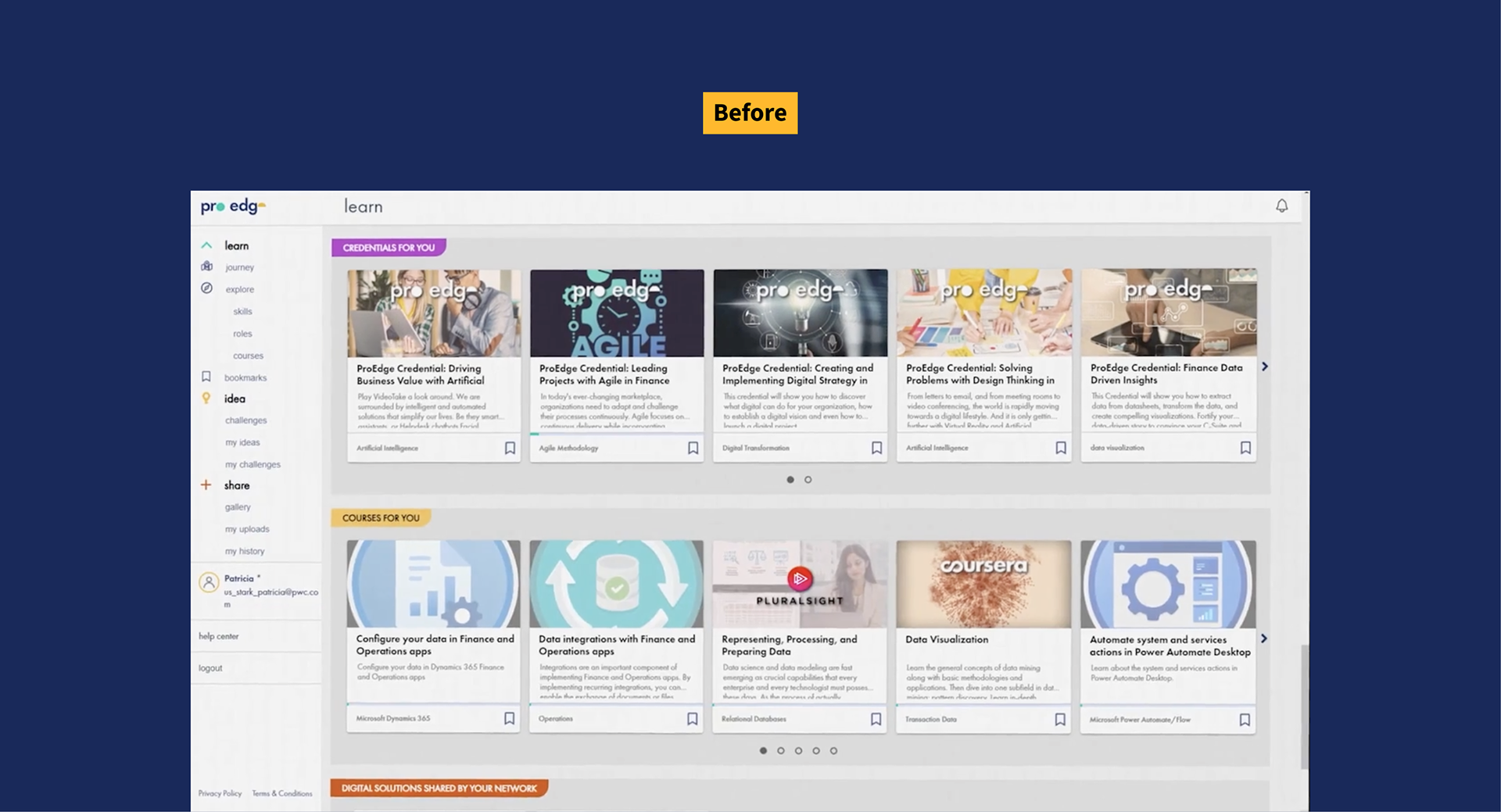
Assigned content had no hierarchy or context beyond content type. Large images of mixed quality made it more difficult to scan the page. Navigation did not accurately reflect product priorities or existing functionality.
Role
My initial job was to help stand up a redesign in alignment with the product vision and deliver the first design handoff within a couple sprints to ensure production stayed on track.
As our team grew, I led the learner experience strategy and design for ProEdge Learn, onboarded new designers and collaborated on a design system spanning across the two core ProEdge platforms.
Approach
The redesign was a complete overhaul involving new information architecture, features and design language, launched and enhanced in multiple phases.
At a high level, the Learner needed to:
- Understand and complete the learning expectations set by their organization
- Easily find relevant content based on skills they want to develop, specific keywords, professional certifications they need to maintain and other important criteria
- Save and organize content, including external resources, for easy reference
- Be able to track their progress throughout their learning journey
ProEdge Learn 2.0 provided:
- A homepage dashboard with a "to do" list linked to relevant areas of the user's learning plan and shortcuts to their most urgent required and most recent in-progress content
- Ways to easily discover new relevant content via personalized recommendations on the homepage, explore section and on detail pages
- A flexible global search with advanced filters and auto-suggest
- Standardized and scalable metadata associated with each learning item on cards and item pages
- A more intuitive AA-level accessible experience with better guidance and a motivating tone
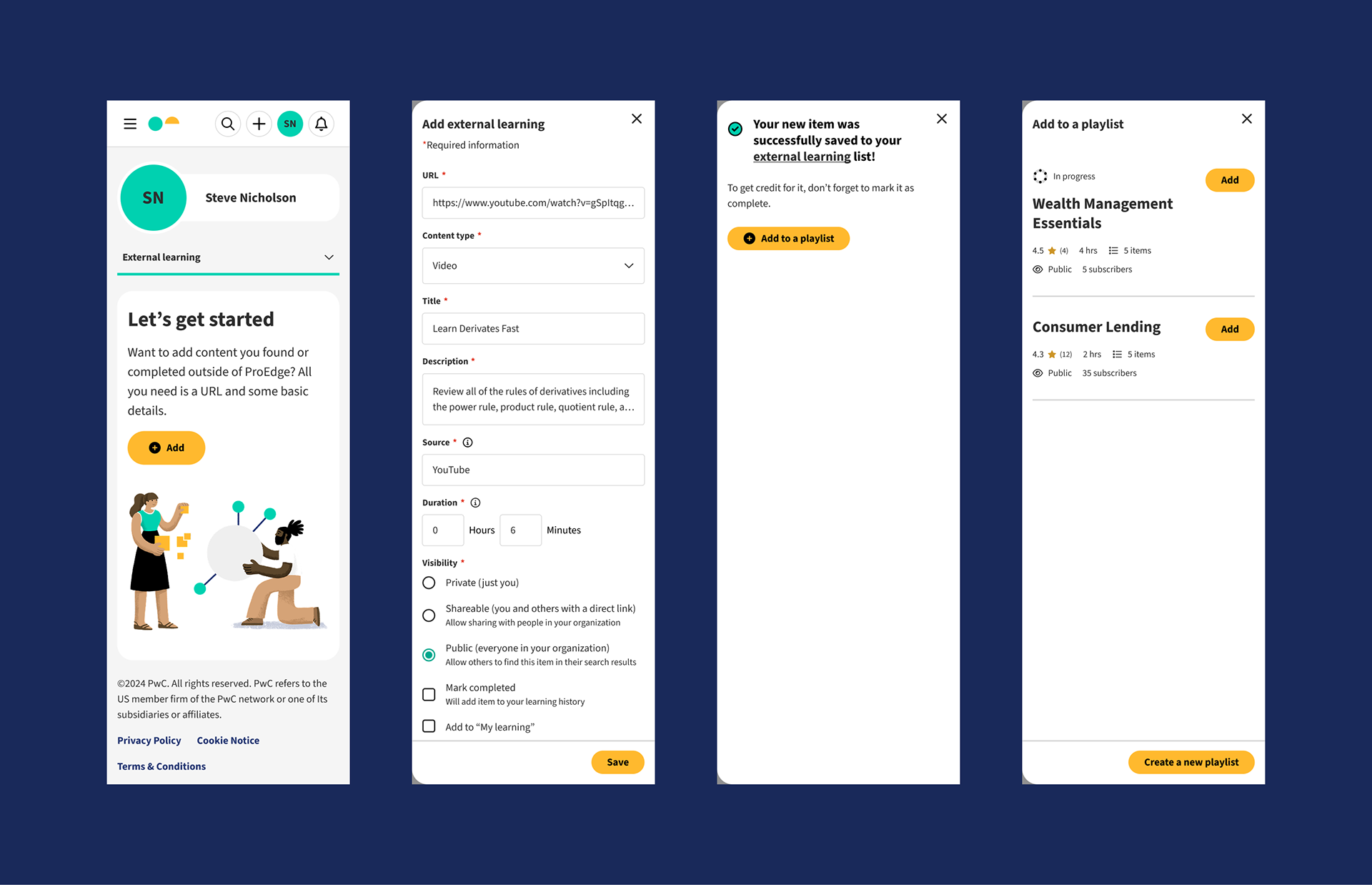
- Opportunities for greater engagement, including adding external content, playlist curation, and goal setting
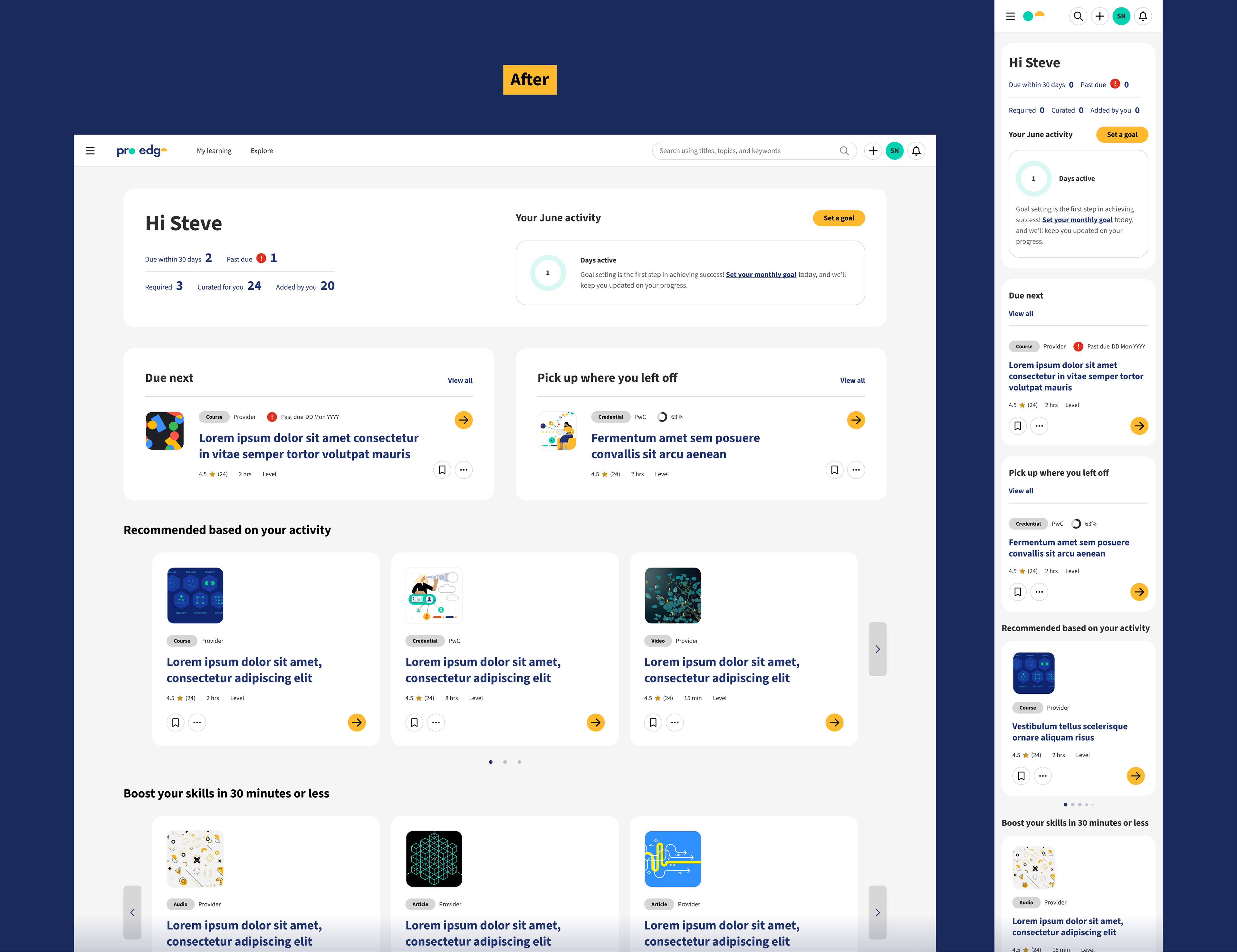
The top of the homepage helped the learner prioritize, fulfill the expectations set by their organization and continue where they left off. The bottom half provided the avid learner with personalized content suggestions based on their profile, behavioral data and inputs, and content popularity metrics.
All required and recommended content assigned to the learner by their admin was clearly organized under "My learning". The user also had the option to add other content they wanted to complete to their learning plan.
Required content was sorted by the due date, while the Curated and Added by you sections provided other ways to sort, reorder and hide or remove content to make it easier to focus on priorities.
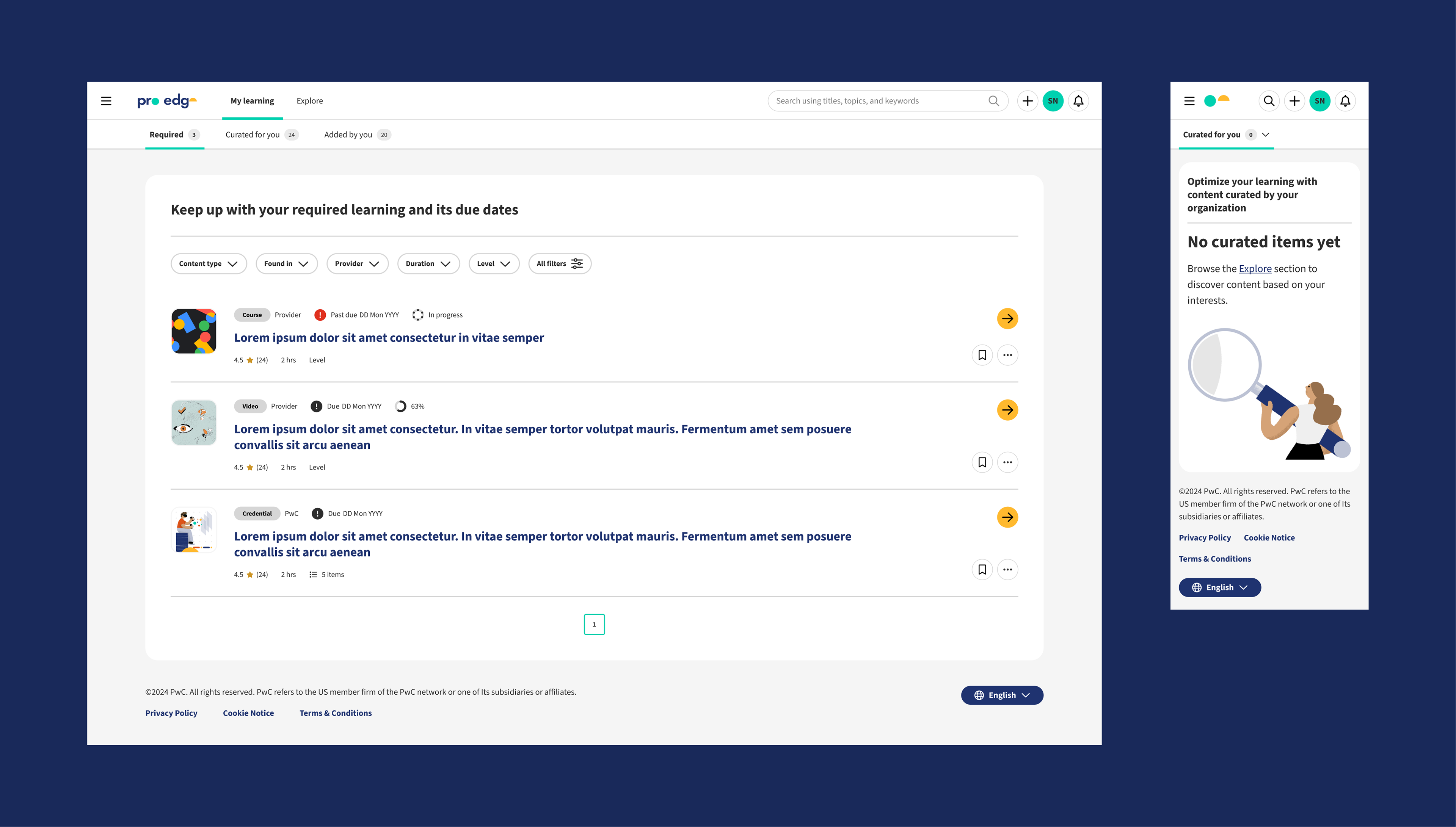
Universal tiles made it easy to identify key metadata, including due dates and progress statuses, throughout the platform. For null states, additional guidance was provided to avoid any dead ends.
A skill-based Explore page allowed users to discover new relevant content starting with skills associated with their role and giving them the ability to choose any skill of interest, while also leveraging their usage history, existing metadata and the recommendation engine to personalize suggestions.
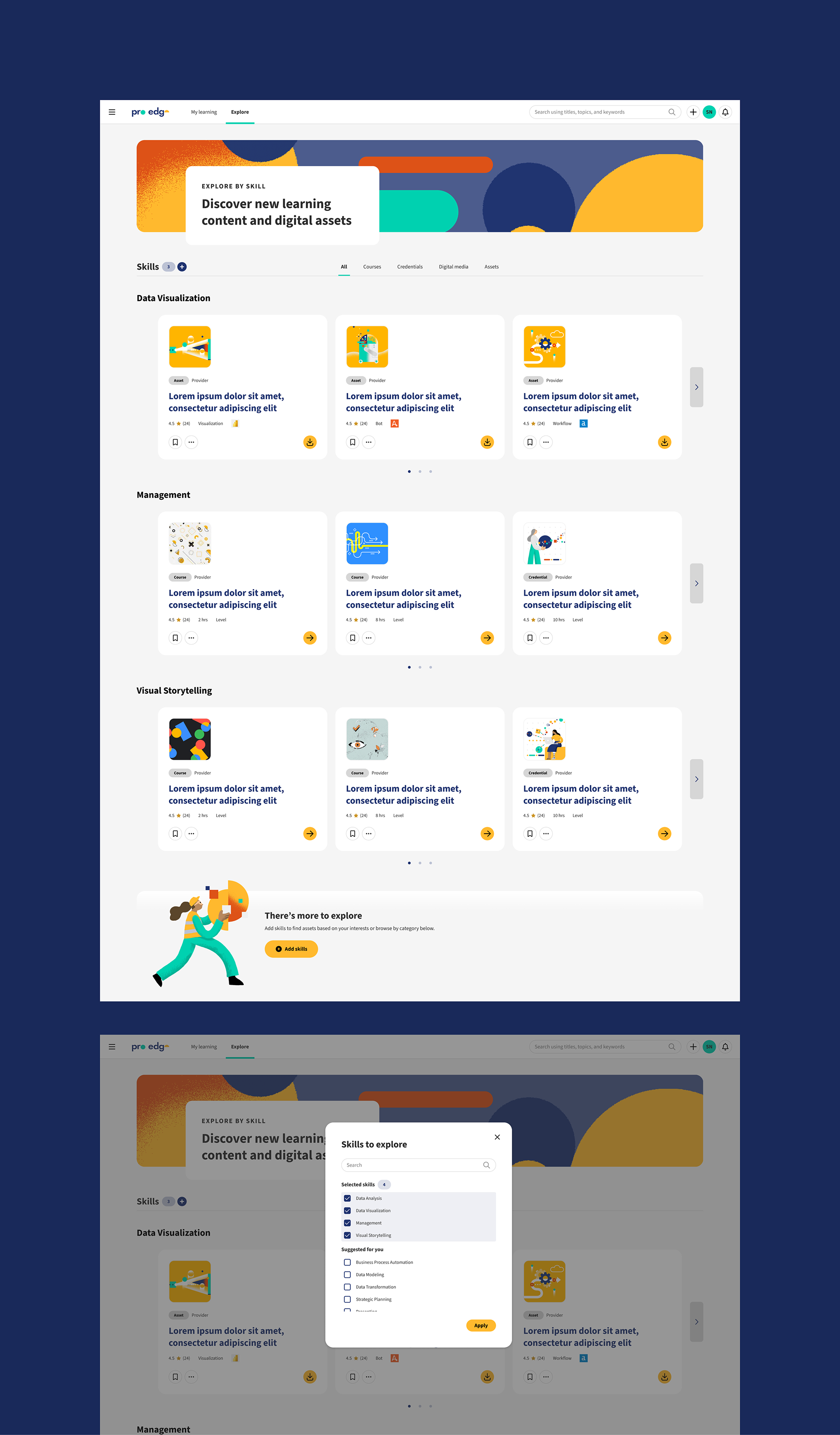
To reduce cognitive load, learners would see the top 6 skills for their role (as confirmed by their admin) by default. When adding / removing skills, all relevant suggested skills would always be present to return to.
Users could now search, filter and sort the entire inventory of learning content and assets.
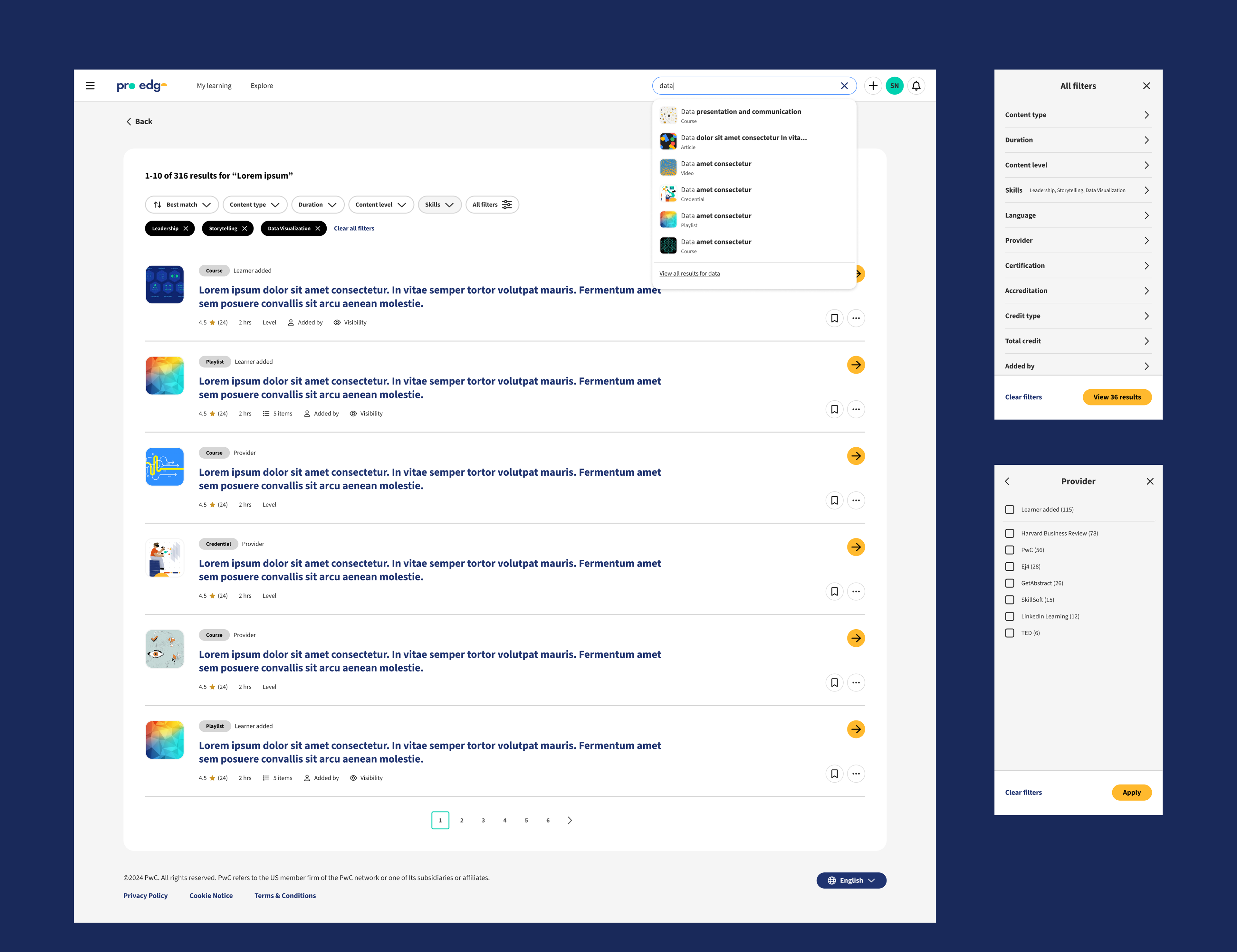
The typeahead solution provided an easy way to quickly find specific content and we later scaled it to include skills and people search, as well as suggested AI prompts.
A streamlined detail page template allowed all content types – from embedded bite-sized articles, audio and video to click-away long-form courses and credentials – to be presented in a consistent format, making it easier for the user to scan and assess quickly.
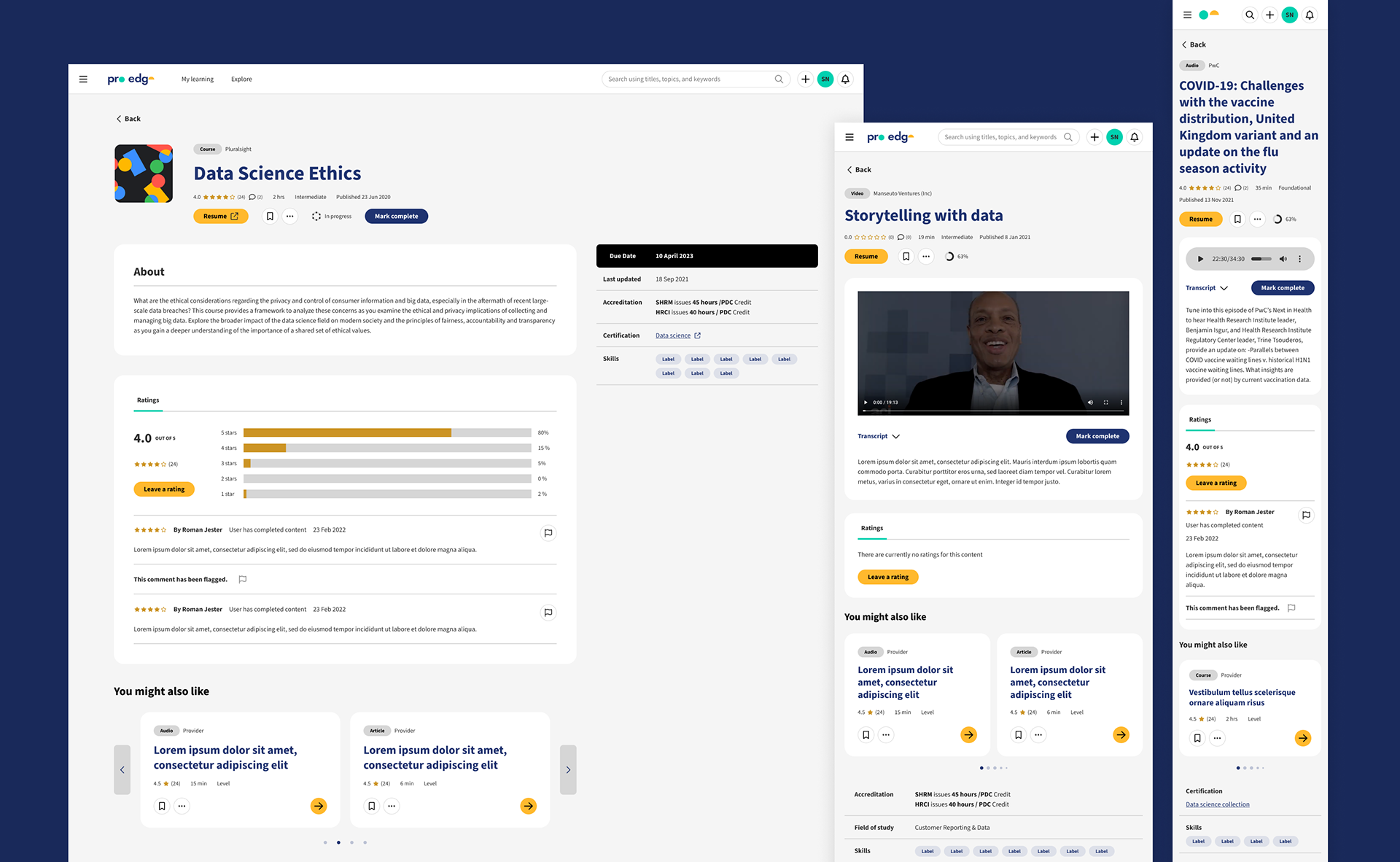
Key actions and metadata were prominently featured at the top. Metadata volume could vary widely, so the remainder was placed in a secondary section to allow the content / summaries to be featured prominently.
The learner's profile included their complete learning record, allowing them to access items they've engaged with, track and share their accomplishments.
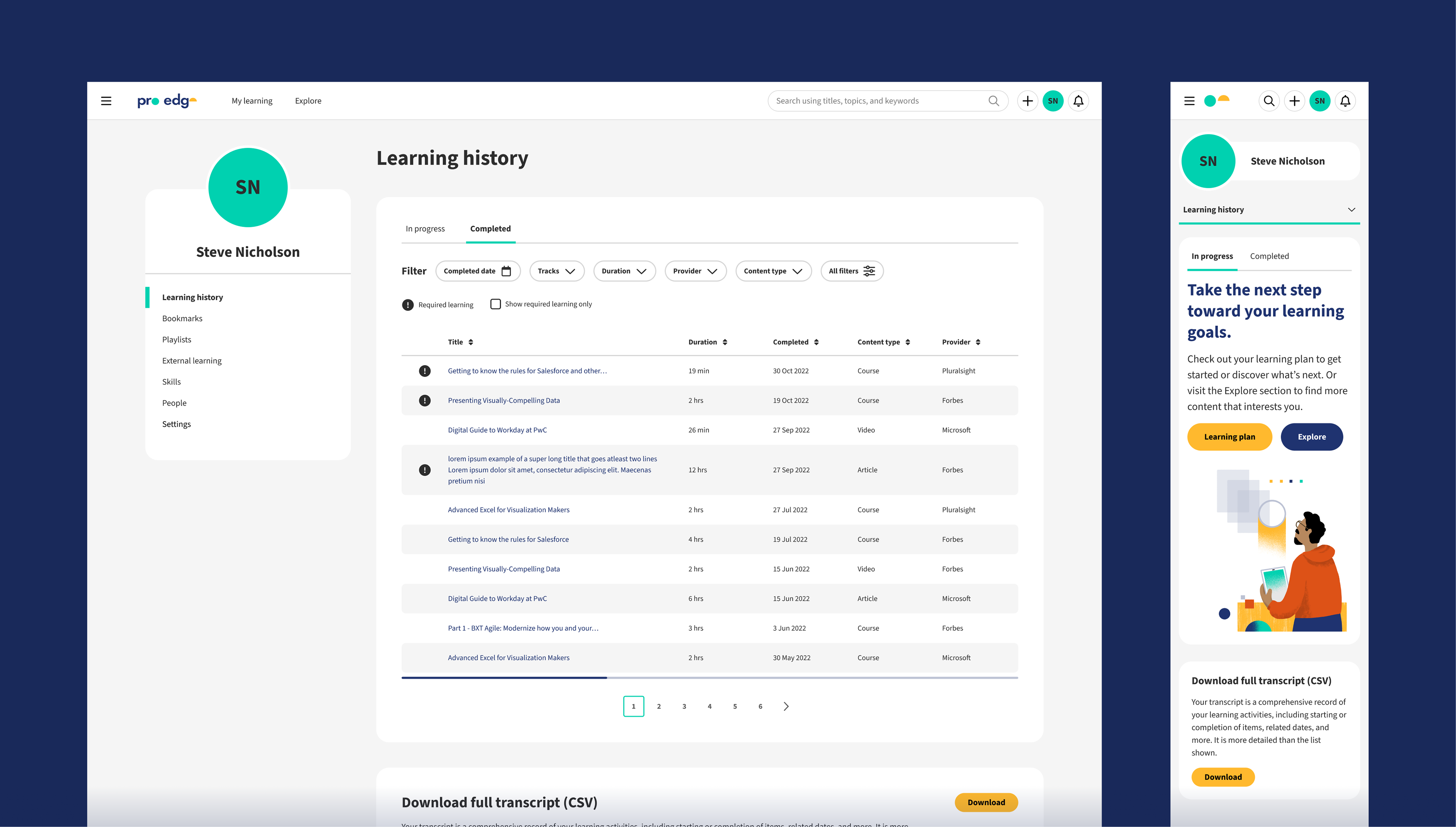
The learner could also find items they've saved, curated into playlists and / or added to the platform in their profile, making it a comprehensive resource for all their "stuff", which they could later also share with others.
Outcome
Through collaborative teamwork our team was able to move quickly validating and implementing foundational functionality in a more intuitive, accessible, visually elevated interface with a consistent design language, allowing us to focus on providing additional value for learners.
My performance on this project helped me get promoted to UX Manager in 2022. Here are a few testimonials:
“Joanna is exceptional and we're fortunate to have her on ProEdge. Like many on the team, she gives 110%, but what stands out with Jo is that she's a fast and strong problem solver, someone who expects a lot from herself, and an unflappable team player.”
– Director, Experience Design, PwC
“I just wanted to take a moment and celebrate someone that has always not only delivered, but has made us all deliver better."
– Director, Experience Design, PwC
"Joanna drove a lot of impactful features for our user-facing Learn. She prototypes fast, works with UXR to gather feedback and iterates well. She also tries to understand tech impact and helps make the right decisions to move forward. She has strong relationships across the team.
Many high used features in ProEdge have been designed by Joanna, driving more engagement and providing a great user experience. She has also coached and managed junior staff. Joanna's impact on LEARN is profound."
– Managing Director, Product & Content, PwC